Skip to content
Tweed
HomeIntroductionContact
Join TestFlight
Overview
TestFlight & basics
  • What Tweed is
  • Join the TestFlight
  • Devices
  • Safari alternative
  • Report a beta bug
  • Spaces vs. groups
  • Spaces on each device
  • Clearing data and Spaces
  • App Store release
Getting started
  • Tab gestures
  • Default browser
  • The introduction
  • Keyboard shortcuts
  • Light and dark
  • Interface size
  • Language
  • Page zoom
Tabs
  • Pin a tab
  • Groups
  • Spaces
  • Split View
  • Reorder tabs
  • Select several tabs
  • History
  • Bookmarks
  • Close or duplicate
  • Reopen a closed tab
  • Jump between tabs
  • Windows
Tools
  • Move from Safari
  • Import and export
  • Translate
  • Downloads
  • Picture in Picture
  • Collector
  • Extensions
  • Find on page
  • Desktop sites
  • Website settings
  • Share
  • Reader
  • Search and URLs
Data & privacy
  • What iCloud syncs
  • Turn sync on or off
  • Sync not working
  • Clear browsing data
  • What Tweed collects
  • Can’t sign in
  • Passkeys
  • Can’t save data
  • Send feedback
  • Send feedback
  • Contact support
Browse topics
Overview
TestFlight & basics
  • What Tweed is
  • Join the TestFlight
  • Devices
  • Safari alternative
  • Report a beta bug
  • Spaces vs. groups
  • Spaces on each device
  • Clearing data and Spaces
  • App Store release
Getting started
  • Tab gestures
  • Default browser
  • The introduction
  • Keyboard shortcuts
  • Light and dark
  • Interface size
  • Language
  • Page zoom
Tabs
  • Pin a tab
  • Groups
  • Spaces
  • Split View
  • Reorder tabs
  • Select several tabs
  • History
  • Bookmarks
  • Close or duplicate
  • Reopen a closed tab
  • Jump between tabs
  • Windows
Tools
  • Move from Safari
  • Import and export
  • Translate
  • Downloads
  • Picture in Picture
  • Collector
  • Extensions
  • Find on page
  • Desktop sites
  • Website settings
  • Share
  • Reader
  • Search and URLs
Data & privacy
  • What iCloud syncs
  • Turn sync on or off
  • Sync not working
  • Clear browsing data
  • What Tweed collects
  • Can’t sign in
  • Passkeys
  • Can’t save data
  • Send feedback
  • Send feedback
  • Contact support
Help Center/Tabs

How do I pin a tab?

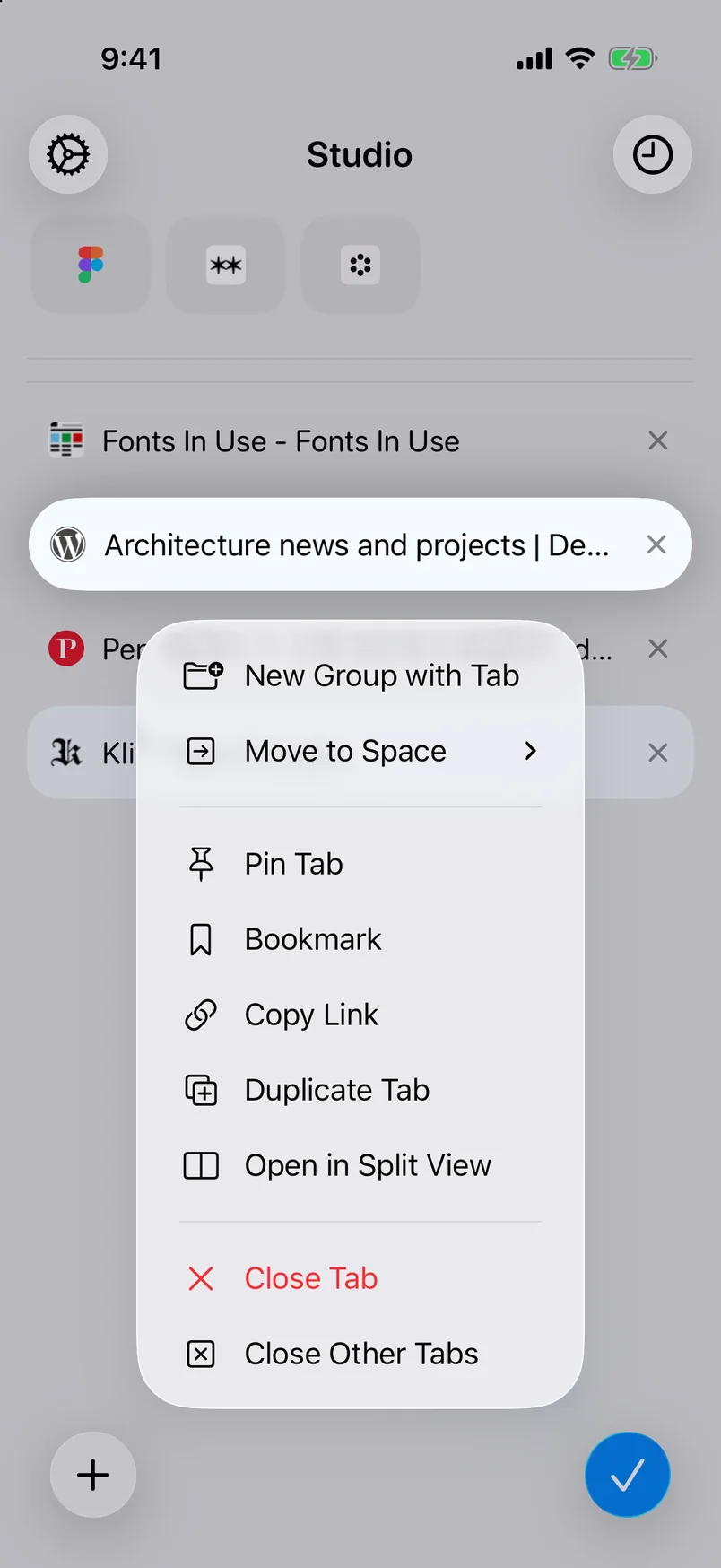
Drag a tab to the pin strip, or use the tab menu.
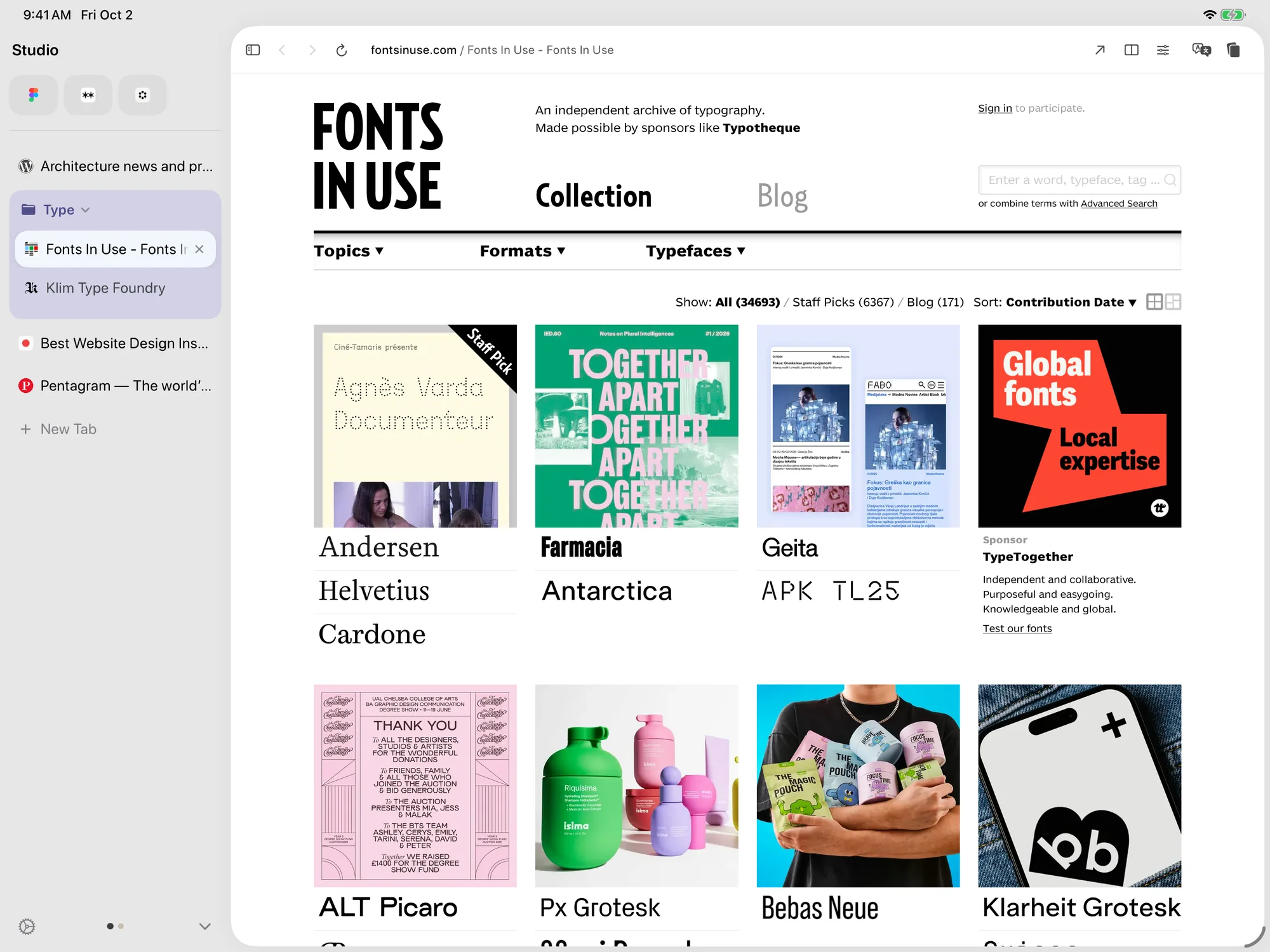
Drag a tab to the pin strip.

Drag

  1. On iPhoneTouch and hold the tab, then drag it to the top of the tab list.On iPadDrag the tab to the top of the sidebar.
  2. The tab stays in the pin strip.
Control-click or touch and hold a tab, then choose Pin Tab.

Menu

  1. Control-click or touch and hold a tab.
  2. Choose Pin Tab.
‹ PreviousPage zoomNext ›Groups

Need more help?

Contact support→
Tweed

The sidebar browserfor iPad and iPhone.

Product

IntroductionVertical TabsSwitching from Arc

Support

Help CenterContact

Legal

Privacy PolicyTerms of Service
DiscordXInstagram

Designed by BunnyX Studio · © 2026 Guangzhou Benli Technology Co., Ltd. All rights reserved.

En/中文